Showing posts with label social media. Show all posts

Wednesday, July 20, 2016

Social Media and High Schoolers: Will They Ever Learn?


This first-hand account of the secret digital lives of high school students comes from newest Cyber Civics team member Peter Kelley, who is also a former high school English teacher and current high school coach.

There’s an urgent and growing need to equip middle school students with the skills to become ethical, knowledgeable and empowered digital citizens.  Every competent mind is able to comprehend this….especially high school students!

Having been a high school teacher and coach for the past five years, I’ve (over)heard firsthand how damaging the effects of “digital incidents” can be on students.  My curiosity, along with my first introduction to Cyber Civics™—the innovative middle school digital citizenship and literacy program—urged me to investigate further. So I questioned 30 of my students about whether they felt courses in digital literacy and citizenship in middle school would have been helpful in preparing them for their “digital life” in a high school setting.  A
resounding 30 for 30 said YES!  When asked if a digital literacy program in middle school would prevent future “digital incidents” in high school….30 out of 30 said an absolute YES!  Not too surprising if you think about it though.

Shelley Glaze, Educational Director at Journey School – a K-8 school in Aliso Viejo, California says, “Immediately following the inception of Cyber Civics at our school, there were fewer problems from social media and cyber-bullying, and now they are virtually non-existent. The lessons speak to the 21st century learner. Since the lessons are constantly evolving, they remain current and relevant.”

I asked a recent graduate from Journey School, who went through all three years of Cyber Civics, how he felt about the program and if he felt empowered moving into a high school setting with the proper skills and knowledge of digital literacy.  His response was, “What I appreciated most about the classes is that lessons are not just applicable to the digital world, but to real life everyday situations as well.  Yes, I do feel empowered and ready for high school.”


Another graduate of the Cyber Civics program said, “A lot of high school kids—girls especially—post underwear and bikini shots. That’s not going to look very good for them later in life. They just don’t think about it.  I think the regular high school kid isn’t ready for the backlash of social media because they didn’t talk about it like I did in middle school.”

Social media runs rampant throughout most every high school.

It can be used for good, of course—my high school gained national media attention last year when it protested school administration for taking away a prize of $10,000 for the music department and an on-campus appearance from musical artist Macklemore. A petition to reverse the decision on change.org was posted at 8 p.m. on a Monday and had garnered 6,067 signatures by Tuesday morning.  Word spread of the petition mostly through social media and by Tuesday afternoon the school reversed its decision. 

But the bad and ugly side of social media in high school comes out in the forms of sexting, cyber-bullying and addiction.

A large takeaway from speaking with my students is they felt those with less face-to-face interaction and less self-awareness were more prone to behave poorly on social media sites. Cyber Civics solves this problem by emphasizing critical thinking, ethical discussion and decision making about digital media issues...through in-person role-play, hands-on projects, and problem solving tasks.  

So, will high school students ever learn how to behave appropriately while using social media?  Not if they look to some celebrities or other “active” social media users who are considered role models (Think Trump, Kardashians, or most recently Dani Mathers).  But if the foundation to educate them begins at age 12 (when their brain is able to truly and ethically reason), and builds year to year on that foundational knowledge….there is hope.  It’s not going to be a one stop or one lesson fix to a gigantic problem.  One movie, or one presentation is not going to engrain the importance of becoming empowered digital citizens into middle and high school kids.  The mindset will not be changed overnight.  Kids need to think critically about how social media use can be powerful, not destructive.  A place to connect, not disconnect.  And a place to learn and become an empowered digital citizen, not a reckless one.  

From a high school educator’s perspective, it’s very promising there’s a perfect program that fits the needs to equip students with these vital “real life” and “digital life” skills.

Peter joins the Cyber Civics team with experience in both Education as well as Marketing.  He received a degree in Communication from the University of Portland with an emphasis in Media and Society.  Peter has always had a passion for teaching and working with kids. In 2011 he made the switch from the business sector and has been an Educator at Aliso Niguel High School for the past 5 years. He’s also the Head Coach of both the Boys and Girls Tennis Programs. He resides in San Clemente, CA with his wife and young daughter and sees Cyber Civics as “the perfect fit” for his passions and skill sets. 


Tuesday, July 21, 2015

Digital Literacy Classes Raise Other Scores


Dr. Jane Karwoski of the Social Network Show recently invited me to talk to her about Cyber Civics, the middle school digital literacy program that equips students to be ethical and competent users of technology. We talked about a lot of topics, including the actual lessons, three tips for parents, and how these classes raise test scores. You can read about it here or listen to the entire podcast here.


Tuesday, October 14, 2014

Digital Literacy Has a Winning Weekend

(Cross-posted on iKeepSafe's Blog)
Project Tomorrow "Innovation in Education" Award Finalists

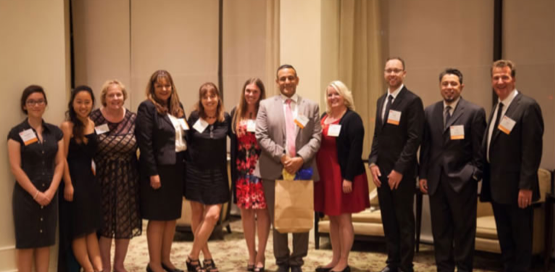
Last week in California, the 2014 Project Tomorrow Innovation in Education Awards were presented at the 21st Annual High-Tech Innovation Awards dinner reception. This high profile event, held in tandem with the O.C. Tech Alliance’s corporate awards, attracts over 300 business and community leaders each year. It recognizes corporations, schools, and individuals demonstrating innovative uses of science, math and technology in the classroom and community.


Our school, where I teach Cyber Civics (or, “digital literacy”), was a runner-up for this program and received a grant to expand it (the well deserved winner was the Jose Sepulveda Elementary School). Even though we didn’t win, we felt like winners nonetheless…simply because “digital literacy” was invited to the table. We were honored that Project Tomorrow and the OC Tech Alliance recognized the important contribution that digital literacy—knowing how to use digital tools wisely, competently, and safely— makes to the world of innovation.

Longtime digital literacy evangelist Glen Warren of McPherson Magnet School, who I met through working on iKeepSafe’s BE a PRO Digital Literacy program, was also a Project Tomorrow finalist. So for our mutual cause of digital literacy, it truly felt like a double-header.


Upon the heels of the Project Tomorrow gala, educators from several western states gathered for the Educating the Whole Child in the Digital Age Workshop at Journey School. They came to learn about our “innovative” three-year, middle school Cyber Civics program and how, and why, to take the lessons back to their own schools. I was honored to present alongside Waldorf educator, mentor, and cognitive development expert Patti Connolly, longtime media literacy educator Patty Page, and Cyber Safety Cop and online safety expert Deputy Clay Cranford.


Educators left the workshop enthused about sharing lessons on digital citizenship, information literacy, and media literacy with their own students, as one educator put it:


I’m inspired by the program, the brain research, and the critical thinking skills. I love the words cyber civics, ethical thinking, and social cognition. This workshop raised my awareness and I’m committed to adding this to the curriculum.
It was a great weekend, and as it turns out the real winners will be the students empowered with “innovative” digital literacy skills.


Friday, February 28, 2014

iPads Coming to Your School? Be Prepared!

This post is reprinted with permission from A Platform For Good. It is about Journey School's 8th grade class getting iPads in the classroom.


The educational landscape in Los Angeles experienced a shake-up last fall, when the LAUSD, the nation’s second largest school district, initiated its $1-billion plan to equip all of its students with iPads. Immediately after the devices were issued, the program made headlines when hundreds of students bypassed security measures and started accessing, from home, sites like Pandora and Facebook. School officials quickly recalled many of the devices as they tried to figure out what to do next.
Yesterday, we handed out iPads for the first time at Journey School in Aliso Viejo, CA, just south of L.A., so I shared this story with my class. When I told them that the kids in L.A. had “hacked” their iPads in only 10 days my students had just one question.
“What took them so long?”
Kids, you see, know a lot more about all this technology stuff than we do. Watching the LAUSD story unfold was a good wake-up call and reminder for educators (and parents) that “an ounce of prevention is worth a pound of cure.”
Our preventative program started four years ago, with Cyber Civics, a three-year, digital literacy class I teach starting in 6th grade. These weekly classes equip students with the skills they need to use the Internet safely and wisely; still, we wanted to implement an additional precautionary measure.
Online Safety for TabletsSo we downloaded A Platform for Good’s Online Safety Cardsfrom this site; these are excellent resources for a parent or teacher planning to hand a digital device to a child. These cards set some terrific ground rules, so to ensure our students’ buy-in and, more importantly, their input, we used these cards as a template to craft our own agreement between the students and the school. 
I asked students to recommend changes/additions to these “rules” and was surprised by all of the “what-if” scenarios they imagined.
They wanted to know:
  • What happens if an iPad is broken or the screen is cracked? Who pays for it?
  • Do the devices have warranty protection, or protective covers?
  • What about passwords? Security settings? Shouldn’t we set these up together as a learning experience? (Since they could likely hack anything we set up without their input, they may as well learn how to manage the security settings on their own devices, right?)
  • Should there be rules about taking/posting photos of other students? What about their privacy?
  • Should they have a class email account?
  • What about educational apps? Could we set up an approval procedure for possible downloads?
And on, and on. The point is that while kids know an awful lot about how to get around our measures to “protect” them, they can also be taught (by us) how to protect themselves.
I’m thinking about hiring these kids out as consultants for future iPad rollouts, what do you think?

Wednesday, December 18, 2013

A Gift Kids Really Want: A Digital Parent!

Yesterday I taught one of my favorite Common Sense Media lessons during a 6th grade Cyber Civics class. Called “Chart It,” this lesson challenges students to think through online ethical dilemmas — like a friend posting an unflattering photo on Facebook, a classmate cutting and pasting freely from the Internet for a homework assignment, or a girl posting misinformation on her blog. This lesson helps kids explore whether online acts like these are intentional or unintentional, and meant to be hurtful or helpful.

We spend a lot of time in this class sharing examples of online interactions like the ones above. And parents, I really hate to be the bearer of bad news, particularly right before the holidays, but guess what? Most of their examples involve us. Here’s what the kids say:

-My mom intentionally posted an unflattering photo of me on Facebook that was embarrassing and hurtful.

-My parent posted a picture of our family in Hawaii unintentionally showing us away for the holidays. This could end up being helpful to burglars.

You get the idea.

After one of these lessons, a boy said to me, “You really should be teaching this class to our parents.”

Get Digital is a course created exactly for this reason.


This series of online, self-paced lessons helps grownups understand the essentials of digital life. In fact there is a whole unit of classes in this course on “Digital Citizenship” that includes many of the lessons I’ve been teaching to kids for the past four years. Just launched in time for the holidays, this CyberWise Certified course makes a great gift for teachers tasked with teaching digital literacy, parents looking to understand the digital world our kids inhabit, and administrators looking to understand how digital media impacts education. It’s a gift that delivers lifelong returns.

When I told the kids about “Get Digital” for grownups, they immediately wanted to know if it included lessons about the social networks they love most, like Instagram, Tumblr, and Snapchat. (It does).

Here are a few other precious take-aways for parents from the kids:
  1. Don’t talk so much on the phone in the car or in public places.
  2. Learn some of the online games we play, and maybe even play with us.
  3. When something bad happens, instead of restricting us from technology, help us understand and talk about it first.
  4. No smartphones or iPads/tablets at school and sporting events, please.
  5. Help me do my schoolwork online (telling me not to use Wikipedia doesn’t count).
  6. At least try to learn more about social media and technology so we can talk about it with you.
In other words, get digital. We hope to see you online!

A Case for Cyber Civics

Cross-Posted on iKeepSafe's Blog.

My daughter, who is busy working on her college applications, received this message from her counselor yesterday:

Just received an email from the National Association of College Admission Counseling (NACAC)… a friendly reminder that colleges are reading your social media.

Today, in addition to having a sky-high GPA and equally impressive test scores, kids also need to have a squeaky clean “digital footprint.” Unfortunately, by 12th grade that “digital footprint” might as well be set in stone, it’s permanent and it started taking shape the day they posted their first picture on Facebook.

Last week I introduced the concept of the “digital footprint” to a sixth grade class just starting to use social media to define themselves to the world. Pretending they had to hire someone for a job at their school, students conducted “background checks” on potential candidates by studying each applicant’s social media accounts. What they learned through this exercise is that everything you say and post online, and everything other people say or post about you, becomes part of your “digital footprint.” This is the same digital footprint that college admissions officers will potentially see and judge them by; the same digital footprint that will help shape their future.

I’m fortunate to be able to spend an hour per week with grades 6-8 teaching CyberCivics. We cover important topics like online reputations, online safety, copyright, plagiarism, cyberbullying, and more. According to research conducted by the Kaiser Family Foundation, our kids are spending more time online than in school or with their families. So I was surprised to read in the L.A. Times earlier this week, this concern posed about teaching students lessons on “copyright”:

"While it's certainly a worthy topic of discussion with students, I'm sure some teachers would have a concern that adding anything of any real length to an already packed school day would take away from the basic curriculum that they're trying to get through now," said Frank Wells, spokesman for the California Teachers Assn.

That was a concern at our school too, however in the three years of our pilot program the school’s API (Academic Performance Index) score has risen steadily and significantly, despite the loss of “academic” time. It’s also given the administrator more time too, as incidences of “cyberbullying” and such that used to find their way into his office a couple times per week have virtually vanished since we started the program.

It's ironic that the prevailing attitude is that there is no time to educate students about their digital behaviors when it's these very behaviors that could prevent them from pursuing a higher education in the first place.


Tuesday, September 24, 2013

The CRAP Kids Learn in School


Cross-posted on iKeepSafe's Blog

Digital Media Literacy education is primarily a top-down endeavor: adults design curriculum based upon what they think kids should know about the digital world. It’s sort of like Martians deciding what Earthlings need to know about life on this planet. Sure we do our best, but at the end of the day many of us are still trying to sort out the difference between a text, a tweet, and a timeline. Additionally, while we generally cover the risk-prevention/online safety stuff well; we're not so good at imparting the skills that actually empower kids to use their digital tools masterfully.

So why not ask kids directly what it is they think they need to know?  Believe it or not, they will generally give you some very smart answers.  

For example, at the completion of a three-year pilot program in Digital Citizenship, Information Literacy, and Media Literacy at Journey School, what we call Cyber Civics, I asked the kids to tell me which lessons they found most valuable.

The overwhelming answer?  CRAP Detection. Yes I admit, that’s an acronym hard to forget. But it’s also an incredibly useful tool for finding the trees in a forest of online information. In short, CRAP Detection comes from the book, NetSmart: How to Thrive Online (2012) by Stanford University Professor, Howard Rheingold.  It suggests that we evaluate online information based on the following criteria:

Currency -
          -How recent is this information?
          -How recently has the website been updated?

Reliability
          -What kind of information is included in the resource?
          -Does the creator provide references or sources for data? Or quotations?

  Authority          
          -Who is the creator or author? What are their credentials?
          -Who is the publisher or sponsor? Are they reputable? 
            
Purpose/Point of View -
          - Is this fact or opinion? Is it biased?
          - Is the creator/author trying to sell you something?

The second two things the kids liked learning about most were Copyright and Plagiarism. Now this was surprising to me, because those aren’t topics you’d think an 8th grader would remember fondly, yet as one student wrote,

“I liked learning about copyright rules so I don’t get arrested or kicked out of high school.”

Here are the other lessons the students liked most:  

“The most valuable thing I learned was to check to see if websites are trustworthy.”

“That every time you post something online it sticks onto your digital footprint like permanent glue.”

“That technology shouldn’t take over our lives.”

“That passwords should be around 8 characters w/symbols and numbers.”

“That people in magazines are photo-shopped and no one is perfect.”

And finally,

“Don’t post anything you wouldn’t want your parents to see.”

Amen to that.

Tuesday, July 30, 2013

Ask.fm and Ask Again


By: Piper Graber, Age 14. Piper is the narrator of What Kids Are (Really) Doing Online. Cross-posted on iKeepSafe Blog.

Image is from home page of Ask.fm, account is public (user is not subject of this story).
Last month my mom wrote on this blog (see below) about an incident that happened in my 8th grade class surrounding Ask.fm, a website that lets users pose and answer questions anonymously:  

A student in our class was the recipient of a cruel post on Ask.fm. In this case, the victim was smart, and shared this information with a trusted adult. Their teacher turned this unfortunate situation into a terrific learning opportunity by addressing the situation in class, and also alerted the parents. The parents responded largely by advising one another to have their kids drop the site.

This post is a follow-up:

After spending a good part of my last week of school discussing a “bullying” situation that happened on Ask.fm, I was shocked when I saw a post on Instagram by the same girl who was bullied. She posted, “Ask me questions” with a link to her re-opened Ask.fm account.

After my initial disbelief, I decided to click on the link and see for myself if she really had reopened her account. Lo and behold, she had. I was angry and upset that she decided to ignore all the advice given by her teacher and classmates after three long days of discussing the incident. After all, we had all come to the conclusion that given her situation, it would be best for her to discontinue her account on Ask.fm. Her mom even sent emails around to all the parents of the class assuring everyone that her daughter would never use that site again (and suggesting that we shouldn’t use it either).  

So I decided to “ask” her this question:

“Why would you put yourself in the same situation after making such a big deal about being bullied the first time around?”

Thoroughly puzzled by her motives, I was anxious to see the answer she would give me, but the answer I received was not quite what I was looking for. Instead she responded eloquently: 

Go  (blank) a (male’s private parts).”

Now the thing I’d like to point out here, is that the device did not make her respond the way she did. In fact, it did not force her to respond at all. This was a result of her own thinking skills. So before you blame the tool, remember it’s not the phone’s job to raise your child. It’s yours.

And taking away the shoe isn’t going to stop your child from walking.

So my advice is this: When it  comes to digital tools and your kids, don’t just ask once, but ask and ask again. Here is a helpful list of things to ask your child:
  • If you can’t take the heat of a potentially cruel statement online, should you be using that app or website in the first place?
  • Do you ever post anything that you wouldn’t want your grandma to see?
  • If something cruel has happened to you before online, have you taken steps to make sure it won’t happen again (like blocking anonymous questions on Ask.fm)?
As a daughter, I would rather have my mom ask me these questions and even ask to look at my social network accounts with me, rather than going behind my back, or worse, not asking me anything at all. So remember, just ask, and ask again.

Unfortunately in this case my peer didn’t get a chance to be in the Cyber Civics classes in 6th and 7th grades where we talked about all this stuff. Too bad, because then she wouldn’t be asking for more trouble on ask.fm.

Monday, May 6, 2013

What Kids Are (Really) Doing Online


Maybe you’ve heard? It appears that Facebook is losing its groove. A recent survey of 5,200 teenagers found that while 33% called Facebook their “most important” social network in Spring ‘12, by Spring of this year that number had fallen to just 25%.

An unofficial survey of the eighth graders in my Cyber Civics class at Journey School yielded even worse news for Facebook. During a project that involved using social media, I asked the students how many of them used Facebook and not a single hand was raised. Instagram? Every hand shot up.  Other social networks of choice included Snapchat, Vine, and Kik Messenger.

If none of these apps sound familiar to you, you’re not alone. Most parents (and educators) are largely unaware of what their kids are doing on their digital devices, and that’s too bad because research shows that kids look to their parents more than any other source to learn how to conduct their online lives. It’s hard to be a good role model when you don’t know what it is you are modeling.

We hope that this video: “What Kids are (Really) Doing Online” will help. It’s a key element of iKeepSafe’s BE a PRO workshops to improve family literacy sponsored by Verizon Wireless and the California School Library Association (CSLA). The first phase rollout, called “BE a PRO Mobile: Connect with Confidence” is currently being introduced to a few select California schools. These workshops help bridge the generational gap many families are experiencing with technology by providing digital literacy and citizenship education. 

In addition to being research-based, this video has also been kid-approved. The narrator is not a professional voice actress but an actual device-using, 14-year old (full disclosure: my daughter) whose agent (my other daughter) insisted that her participation in this project be contingent upon full script-approval. In other words, what you will learn about “What Kids Are (Really) Doing Online” comes directly from the source.
If you have any questions after watching, please visit the NewsWise section of the CyberWise website for current news articles and research about what kids are up to online. Good luck.


Wednesday, February 27, 2013

Fun with Passwords


Recently, while giving a presentation on "Digital Literacy" to a group of K-8 parents, I shared some interesting data from a Pew Internet  & American Life Project report regarding kids and their online passwords. In this study Pew found that 30 percent of 12-17 year olds who were regularly online had shared a password with a friend, boyfriend or girlfriend, and that almost half of those 14-17 do the same. In fact, in more than two dozen interviews, parents, students and counselors said that the practice had become widespread.

When a parent in the room asked me why kids share their passwords, I couldn’t give them a good reason. So I decided to take this question directly to the students in my 8th grade Cyber Civics class.

Their response? Simply this: they like to share. Remember, this is a generation who has grown up immersed in an online world where the ethos of community, collaboration, and networking is the norm. Here are three examples from their online world:

  • Wikipedia: The free online encyclopedia that everyone can edit and use.
  • Instagram: The online photo and social networking site that also lets users share what they upload with friends and followers on Facebook and Twitter.
  • Flickr: the online photo-sharing website where everyone can upload and view one another’s photos.

The other reason kids like to share their passwords, according to this 8th grade class, is because passwords are hard to remember, so it helps to have a friend who can help remember them for you.

This second reason provided an opportunity to use a terrific lesson that gives kids a strategy for making and remembering passwords. This lesson (albeit a bit tweaked) comes from Common Sense Media’s Digital Literacy and Citizenship free curriculum.

For this lesson every student received a slip of paper with the name of a famous person on it (an actor, musician, political or historical figure). Their task was to create password using that person as a mnemonic device while also following five simple rules (parents take note, these rules are for you too!). Every password should:
  1. Include upper and lowercase letters.
  2. Include numbers and symbols.
  3. Be at least eight characters in length.
  4. Contain no personal information.
  5. Use no words found in the dictionary.

Kids love challenges like this one and these students came up with some really creative and funny passwords. But the best part was the follow-up activity: every student wrote his or her password on the board, then the entire class tried to guess the person behind each password by playing a “Charades”-like guessing game.

Here’s an example of one of their passwords:

                                                       Sfttr24UK!!

In case you can’t figure it out… the mnemonic device for this password is the singer, Adele. It includes the first initials of her well-known song “Set Fire to the Rain”, she is 24 years old, from the UK, and she rocks (!!).

You get the idea.

While it’s always a good idea to remind kids about the potential downsides to sharing passwords with others (i.e., friends might post unwanted information or photos onto their social networking sites), it’s also smart to equip them with practical tools that will keep them safe online.

It also doesn’t hurt to have a little fun at the same time.

Friday, February 22, 2013

A Lesson in CRAP Detection


A Lesson in CRAP Detection


Sometimes truth really is stranger than fiction. Just consider two recent events in the news. Young girls, unable to recognize an online hoax called #CutForBieber, upload bloody photos of self-inflicted wounds to Twitter to show their concern for Justin Bieber’s alleged marijuana use. Meanwhile, 21-year old Notre Dame football player Manti Te’o falls for and carries on a serious relationship with an online girlfriend who doesn’t actually exist. Just last week, while interviewing Te’o about this well-publicized affair, Katie Couric asks him if he’s “technologically challenged.”

Couric asks an important question. If Te’o, Bieber’s fans, or any of us for that matter, can’t evaluate online information well enough to recognize online hoaxes like these when we see them, then yes, we’re technologically challenged.

Perhaps we could all use a lesson in CRAP detection.

At Journey School in Aliso Viejo, CA, we turn to the second chapter of the book, NetSmart: How to Thrive Online (2012) by Stanford University Professor, Howard Rheingold for our Cyber Civics classes on Information Literacy. I like Rheingold’s approach to evaluating online information because there’s not a 13-year old alive whose ears don’t perk up when you start talking about CRAP.

It captures their attention just long enough to allow you to suggest they ask the following questions when evaluating online information:

Currency -
          -How recent is this information?
          -How recently has the website been updated?
Reliability
          -What kind of information is included in the resource?
          -Does the creator provide references or sources for data 
            or quotations?
  Authority          
          -Who is the creator or author? What are their credentials?
          -Who is the publisher or sponsor? Are they reputable?             
Purpose/Point of View -
          - Is this fact or opinion? Is it biased?
          - Is the creator/author trying to sell you something?

Sometimes a scatological acronym is just the thing kids need to help them remember how to be critical thinkers online… and to avoid unnecessary pain and fake girlfriends.